Did you know that MOV and MP4 are among the most commonly used video file formats, yet they cater to different needs? Choosing the right one can significantly impact your video quality and compatibility. For video creators, editors, and businesses alike, understanding the nuances of these formats is crucial for ensuring optimal performance and user experience.
In this guide, we’ll explore the key differences between MOV and MP4, when to use each format, and how to convert MOV to MP4 effectively. With Ice N Fire Media’s expertise in video editing and format optimization, you’ll gain a clear understanding of how to make the right choice for your projects.
What Are MOV and MP4?
MOV: Overview and Use Cases
The MOV format was developed by Apple for its QuickTime player. It is widely recognized for its high-quality video output, making it a preferred choice for professional video editing. MOV files use advanced encoding to maintain exceptional quality, which is ideal for post-production workflows and archiving.
MP4: Overview and Use Cases
MP4, short for MPEG-4 Part 14, is one of the most versatile and widely used video formats. Known for its high compression capabilities, MP4 files are smaller in size without significant loss of quality. This makes it the go-to format for sharing videos online, streaming, and ensuring compatibility across devices and platforms.
Key Comparison
- Origins: MOV is Apple-specific, while MP4 is an international standard.
- Encoding: MOV retains high-quality data for editing, while MP4 optimizes for playback and sharing.
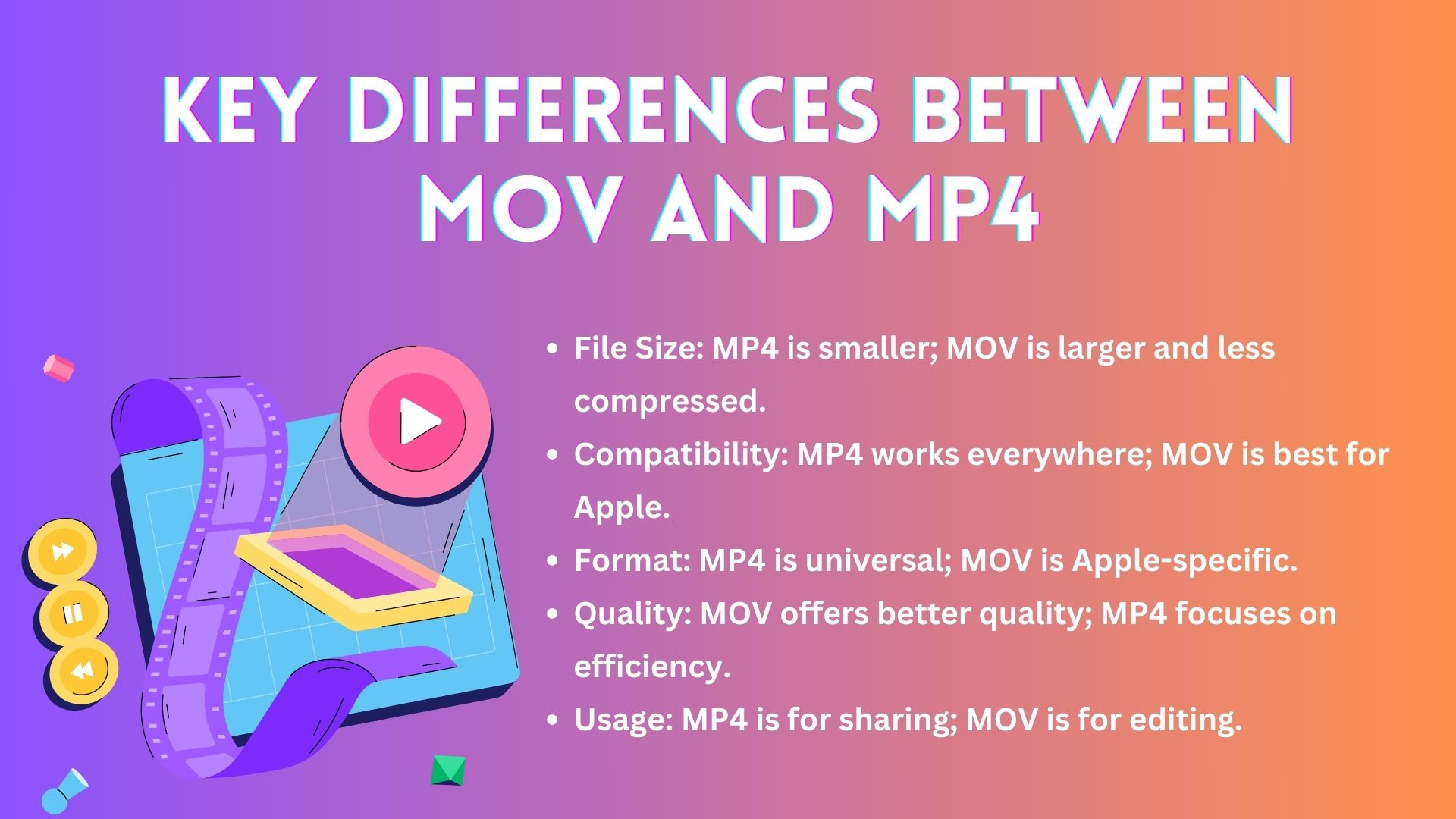
Key Differences Between MOV and MP4
1. File Size and Compression
- MOV: Produces larger file sizes, retaining more data and offering superior quality. This is particularly useful in editing environments where every detail matters.
- MP4: Offers higher compression rates, reducing file sizes significantly while maintaining acceptable quality for playback and distribution.
2. Compatibility
- MOV: Best suited for users in the Apple ecosystem, including macOS and iOS.
- MP4: Universally compatible with almost all devices, platforms, and operating systems, making it a practical choice for general use.
3. Use Cases
- MOV: High-quality editing, archiving, and projects requiring pristine visuals.
- MP4: Social media uploads, streaming, and cross-platform sharing.
Also Read:
- Top 10 Best Video Editors For YouTube Videos
- Top 10 Best Video Editing Services in USA
- Top 10 Best Video Production Companies in the USA
MOV to MP4: Why and How to Convert
Why Convert MOV to MP4?
Converting MOV to MP4 is often necessary to:
- Reduce File Sizes: MP4 files are more manageable for storage and sharing.
- Ensure Compatibility: MP4 can be played on virtually any device, whereas MOV files may face restrictions outside the Apple ecosystem.
How to Convert MOV to MP4
Online Tools
Platforms like CloudConvert and Convertio allow for quick and straightforward conversions without the need for software installation. Simply upload your MOV file, choose MP4 as the output format, and download the converted file.
Software Solutions
- VLC Media Player: A versatile tool that enables users to convert MOV to MP4 seamlessly.
- Adobe Premiere Pro: Ideal for professional-grade conversions with additional customization options.
Batch Conversion Tips
When converting multiple files, opt for tools that support batch processing. This saves time and ensures consistency across all files.
Pros and Cons of Conversion Methods
- Online Tools: Convenient but may compromise quality.
- Software Solutions: Higher quality but require installation and expertise.
MOV vs. MP4: Which Format Should You Choose?
When to Use MOV
- Professional Editing: MOV files preserve intricate details, making them ideal for video editing workflows.
- Archiving: High-quality storage ensures minimal data loss over time.
When to Use MP4
- Social Media: MP4’s smaller file size and universal compatibility make it perfect for platforms like Instagram, Facebook, and TikTok.
- Client Sharing: Easy playback ensures smooth communication with clients and collaborators.
Expert Insight
At Ice N Fire Media, we recommend:
- MOV: For projects requiring advanced editing or archiving.
- MP4: For distribution, streaming, and general sharing.
Tools and Tips for Working with MOV and MP4
Essential Software
- Editing Tools: Adobe Premiere Pro, Final Cut Pro, and DaVinci Resolve.
- Playback Tools: VLC Media Player and QuickTime.
Tips for Maintaining Quality
- Use high-quality encoding settings during conversion.
- Avoid multiple conversions to reduce potential quality loss.
Ice N Fire Media’s Expertise

Ready to elevate your video content? Contact Ice N Fire Media today and let us transform your vision into a polished masterpiece!
Our team ensures that every video we produce or optimize retains its intended quality and meets the desired format specifications. We use advanced tools and workflows tailored to each client’s needs.
The Role of Ice N Fire Media in Video Editing
Format Optimization
Choosing the right format can make or break a video project. Our team evaluates:
- Content Requirements: Determining whether MOV or MP4 aligns better with the project goals.
- Target Audience: Ensuring compatibility with the devices and platforms most used by your audience.
Real-World Impact
In one project, a client needed high-quality visuals for editing and seamless distribution across global platforms. By leveraging both MOV and MP4 formats strategically, we delivered a solution that satisfied both needs efficiently.
Conclusion
Understanding the differences between MOV and MP4 is essential for making informed decisions in video production and distribution. Whether you prioritize quality, compatibility, or file size, selecting the right format ensures your content achieves its full potential.
For professional guidance and video optimization, trust Ice N Fire Media. Our expertise in video production and format selection guarantees that your projects stand out, regardless of the platform or audience.